

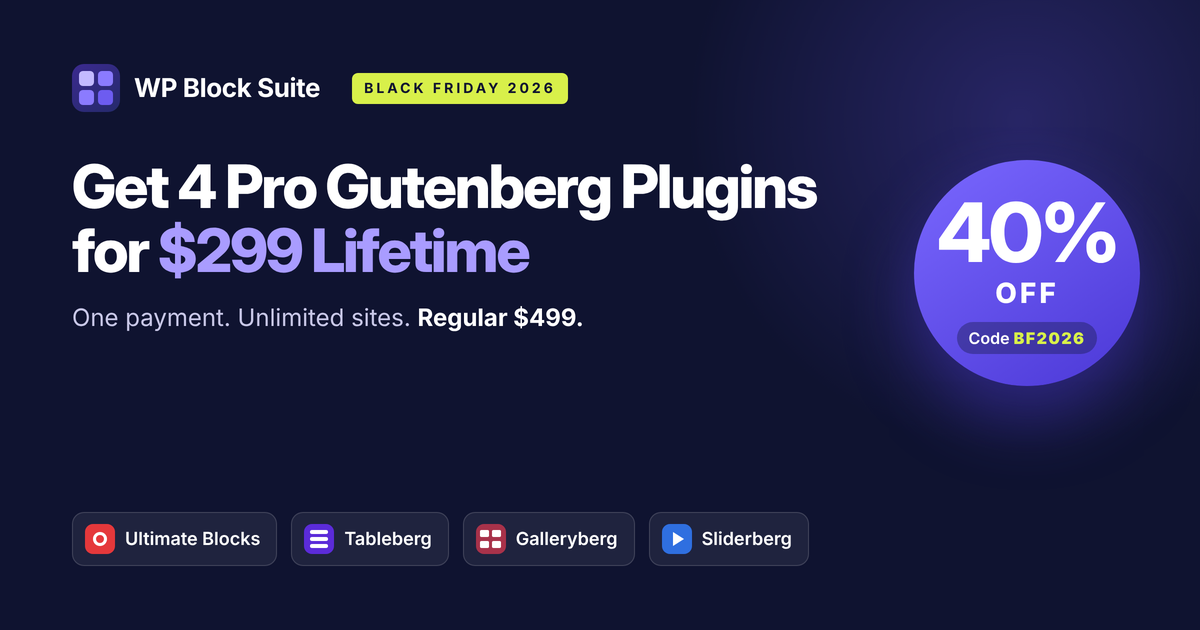
If you build with the WordPress Block Editor (Gutenberg), this is the deal to watch. WP Block Suite is the best Black Friday deal for Block Editor users: four Pro plugins, Ultimate Blocks Pro, Tableberg Pro, Galleryberg Pro and Sliderberg Pro, for one lifetime payment of $299 instead of $499.
Use code BF2026 between November 20 and December 2, 2026 to save 40%. Your license covers unlimited sites, includes lifetime updates and support, and comes with a 30-day money-back guarantee.
One payment. Four Pro plugins. Unlimited sites. No renewals.
Why Consider the WP Block Suite Black Friday 2026 Deal?
The Block Editor is great for writing, but most real sites need more than the core blocks. A typical content site or client project needs:
- Content blocks like a table of contents, review boxes, FAQs and tabs
- Comparison or pricing tables
- Image galleries
- Sliders or carousels
That usually means four different plugins from four different companies, each with its own yearly renewal, settings panel and design style. WP Block Suite replaces all of that with one bundle built by one team, and every plugin works as native Gutenberg blocks.
Because there’s no page builder layer, your content is saved as standard block markup. Switch themes and your layouts come with you. Stop using the plugins and you still own your content.
WP Block Suite Black Friday 2026 Pricing
WP Block Suite has one simple plan: a lifetime license for all four Pro plugins on unlimited sites. During Black Friday, that plan is 40% off.
| Regular Price | Black Friday 2026 | |
|---|---|---|
| WP Block Suite (all 4 Pro plugins) | $499 | $299 |
| License type | Lifetime | Lifetime |
| Sites | Unlimited | Unlimited |
| Yearly renewal | None | None |
| Coupon code | BF2026 | |
| Money-back guarantee | 30 days | 30 days |
What Does 40% Off Mean in Dollars?
- Regular WP Block Suite price: $499
- Black Friday price: $299
- You save: $200 compared to the regular bundle price
- Compared to buying the four plugins separately ($646): you save $347, or about 54%
The deal runs from November 20 to December 2, 2026 (ending at 11:59 PM US Eastern on December 2).
What’s Included in WP Block Suite?
WP Block Suite includes the full Pro versions of four plugins:
- Ultimate Blocks Pro: 25+ content blocks
- Tableberg Pro: tables built from real blocks
- Galleryberg Pro: fast image galleries
- Sliderberg Pro: sliders that accept any block
These are not trials or limited tiers. You get every Pro feature of every plugin, on every site you own or build.
1. Ultimate Blocks Pro (Content Blocks)
Ultimate Blocks is the anchor of the bundle, with 50,000+ active installs and a 4.9-star rating from 729 reviews on WordPress.org. It gives you the content blocks bloggers and site builders reach for every day.
Key features:
- Sticky Table of Contents
- Schema-ready Review and HowTo blocks
- Accordions with FAQ schema, tabs, call-to-action boxes and progress bars
- Post Grid with pagination
- Countdown timer
- Pro-only Timeline, Coupon and Image Hotspots blocks
- Block visibility conditions, saved style presets and responsive controls
Who should use it:
- Bloggers and content publishers
- Affiliate and review sites that need schema-ready review boxes
- Anyone who wants richer posts without a page builder
2. Tableberg Pro (Tables)
Tableberg is the only WordPress table plugin where every cell is a real block. You can drop star ratings, buttons, ribbons, icons and styled lists straight into a cell, all inside the editor.
Key features:
- 30 ready-made table templates
- Sticky rows and columns
- Search and sort for large tables
- WooCommerce product tables pulled from your store
- AI-generated tables
- No CSV import, no spreadsheet screen and no shortcodes
Who should use it:
- Affiliate sites building product comparison tables
- SaaS and service sites building pricing tables
- WooCommerce stores that want searchable product tables inside regular posts
3. Galleryberg Pro (Galleries)
Galleryberg builds fast, good-looking image galleries without loading heavy scripts.
Key features:
- Tiles, Masonry, Justified and Square layouts, plus the Pro-only Mosaic layout
- A lightbox with zoom, keyboard navigation and touch gestures
- Server-side rendering to protect page speed
- Keeps your existing image alt text
- Pro lightbox thumbnails and lazy loading
Who should use it:
- Photographers and portfolio sites
- Travel, food and lifestyle bloggers
- Agencies showcasing client work
4. Sliderberg Pro (Sliders)
Most slider plugins make you build slides inside their own separate editor. Sliderberg lets you put any Gutenberg block inside a slide: columns, buttons, forms, even tables.
Key features:
- Slider and carousel modes
- Any block inside any slide
- Full ARIA accessibility, touch and swipe support
- Pro Coverflow 3D effect, vertical direction and fraction pagination
Who should use it:
- Sites that need testimonial or logo carousels
- Homepages with featured content sliders
- Designers who want full layouts inside each slide
How Much Value Do You Get from WP Block Suite?
Here’s what each plugin costs if you buy its lifetime, unlimited-site license on its own:
| Plugin | Price on Its Own (Lifetime, Unlimited Sites) |
|---|---|
| Ultimate Blocks Pro | $199 |
| Tableberg Pro | $149 |
| Galleryberg Pro | $149 |
| Sliderberg Pro | $149 |
| Total bought separately | $646 |
| WP Block Suite (regular) | $499 |
| WP Block Suite (Black Friday) | $299 |
Cost Per Plugin
At the Black Friday price, you pay about $75 per Pro plugin ($299 divided by 4), each with lifetime updates and unlimited sites.
How Much Do You Save?
- Versus buying separately: $646 minus $299 = $347 saved (about 54%)
- Versus the regular bundle price: $499 minus $299 = $200 saved (40%)
The bundle pays for itself as soon as you need two of the four plugins, since any two Pro licenses bought separately already cost $298 or more.
Why No Yearly Renewals Matter
Many WordPress plugins charge every year to keep updates and support. Four plugins at even $49 a year each adds up to almost $200 a year, every year. Over three years, that’s close to $600, and over five years, nearly $1,000.
With WP Block Suite, you pay $299 once. There’s nothing to renew, nothing to cancel and no price increase to watch for next year.
WP Block Suite vs. Individual Plugins: Which Should You Choose?
| If you need… | Best option |
|---|---|
| Only content blocks (TOC, reviews, FAQs) | Ultimate Blocks Pro ($199) |
| Only tables | Tableberg Pro ($149) |
| Two or more of the four plugins | WP Block Suite |
| Tools for many client sites | WP Block Suite |
| The lowest cost per plugin | WP Block Suite |
When Should You Buy a Single Plugin?
- You only need one type of block, such as tables or galleries
- You’re sure you won’t need the other plugins later
When Should You Choose WP Block Suite?
- You need two or more of the four plugins
- You build sites for clients and want one license for all of them
- You want one team and one support desk for everything
- You want to lock in lifetime pricing before it goes back to $499
Who Should Buy WP Block Suite?
Bloggers and Content Publishers
Tables of contents, FAQ schema, review boxes and post grids make long posts easier to read and easier for search engines to understand. Ultimate Blocks handles all of it inside the editor you already use.
Affiliate and Review Sites
Comparison tables and review boxes are the core of most affiliate content. Tableberg builds tables with ratings, ribbons and buttons in every cell, and Ultimate Blocks adds schema-ready reviews and coupon blocks.
Freelancers and Agencies
One lifetime license covers unlimited client sites. You use the same familiar blocks on every project, and your clients never deal with a page builder.
WooCommerce Store Owners
Tableberg’s WooCommerce product tables let you show searchable, sortable product lists inside any post or page. Sliderberg and Galleryberg help you show off products and customer stories.
Photographers and Creative Sites
Galleryberg’s Mosaic and Justified layouts and its lightweight lightbox show your work without slowing the site down.
How to Claim the WP Block Suite Black Friday 2026 Deal
- Go to the pricing page: visit wpblocksuite.com/pricing.
- Click the buy button for the WP Block Suite lifetime plan.
- Enter code BF2026 at checkout. The total drops from $499 to $299.
- Complete your purchase by card or PayPal. Checkout is handled securely by Freemius.
- Download and activate all four Pro plugins on as many sites as you like.
The deal is available from November 20 to December 2, 2026. After that, the price returns to $499.
Final Thoughts: The Best Black Friday Deal for Block Editor Users
If you build with the WordPress Block Editor, WP Block Suite gives you everything the core editor is missing: 25+ content blocks, real block-based tables, fast galleries and flexible sliders.
This Black Friday, you get all four Pro plugins for $299 instead of $499, a one-time payment for unlimited sites with lifetime updates. That’s $347 less than buying them separately, with no renewals ever. And with a 30-day money-back guarantee, there’s no risk in trying it.
FAQs
What is included in WP Block Suite?
WP Block Suite includes the Pro versions of four plugins: Ultimate Blocks Pro, Tableberg Pro, Galleryberg Pro and Sliderberg Pro.
How much does WP Block Suite cost during Black Friday 2026?
WP Block Suite costs $299 during Black Friday 2026, down from $499. Use code BF2026 at checkout.
When does the WP Block Suite Black Friday deal start and end?
The deal runs from November 20 to December 2, 2026, ending at 11:59 PM US Eastern on December 2.
How much can I save?
You save $200 (40%) compared to the regular WP Block Suite price, or $347 (about 54%) compared to buying the four plugins separately.
How many websites can I use WP Block Suite on?
Unlimited. There’s no site limit, and you can use the same license on client sites.
Does WP Block Suite require yearly renewals?
No. WP Block Suite is a one-time payment with lifetime updates and support.
Does WP Block Suite work with page builders?
WP Block Suite is built for the WordPress Block Editor (Gutenberg). All four plugins work as native blocks, so you don’t need a page builder.
Will WP Block Suite slow down my site?
No. The plugins are native blocks with no page builder layer, assets load only for the blocks you use, and Galleryberg is server-side rendered to protect page speed.
Can I try the plugins before buying?
Yes. Ultimate Blocks, Tableberg, Galleryberg and Sliderberg all have free versions on WordPress.org.
Is there a money-back guarantee?
Yes. WP Block Suite comes with a 30-day money-back guarantee, no questions asked.
Leave a Reply